> ## Documentation Index
> Fetch the complete documentation index at: https://coinstats.app/docs/llms.txt
> Use this file to discover all available pages before exploring further.
# Share Token Authentication
> Learn how to use share tokens to access portfolio data through the CoinStats API
export const title_0 = "Need Help?"
export const cards_0 = "true"
Share tokens provide a secure way to access portfolio data from the CoinStats app through the API. This authentication method allows you to share specific portfolio information without exposing your main API credentials.
## What is a Share Token?
A share token is a unique identifier that grants API access to a specific portfolio. It's generated directly from your CoinStats portfolio and can be used to:
* View portfolio holdings and balances
* Access transaction history
* Retrieve DeFi positions and staking data
* Get portfolio performance metrics and charts
* Add transactions to manual portfolios
Share tokens are only available for users with a **Degen plan subscription**. All portfolio endpoints require either a share token or proper API authentication.
## Getting Your Share Token
Go to [CoinStats Portfolio](https://coinstats.app/portfolio) and make sure you are signed in to your account.
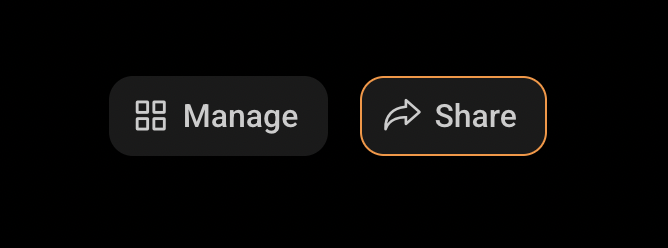
In the top-right corner of the page, click on the **Share** button.
 This will bring up sharing preferences for your portfolio. Fill Title and Description and Click **Generate Link**.
Make sure you understand the privacy implications of sharing your portfolio data before generating a link.
In the generated URL, the segment following `/p/` is your share token.
```
https://coinstats.app/p/YOUR_SHARE_TOKEN_HERE
^^^^^^^^^^^^^^^^^^^^
This is your share token
```
This will bring up sharing preferences for your portfolio. Fill Title and Description and Click **Generate Link**.
Make sure you understand the privacy implications of sharing your portfolio data before generating a link.
In the generated URL, the segment following `/p/` is your share token.
```
https://coinstats.app/p/YOUR_SHARE_TOKEN_HERE
^^^^^^^^^^^^^^^^^^^^
This is your share token
```
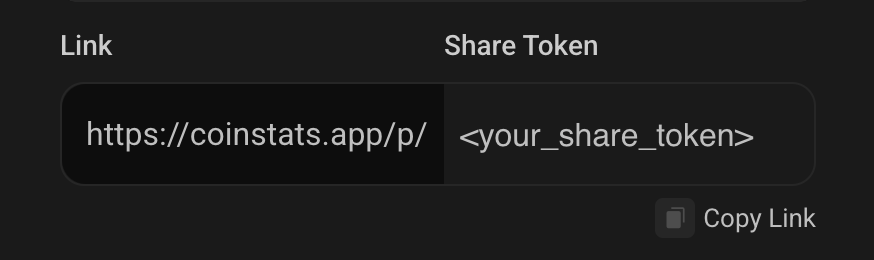 Copy only the token portion (without additional slashes or characters).
## Passcode Protection
Some portfolios may be protected with an additional passcode for extra security. If a portfolio requires a passcode, you can include it in your requests using either query parameters or headers (recommended):
### Method 1: Header (Recommended)
```bash theme={null}
curl -H "X-API-KEY: your-api-key" \
-H "sharetoken: YOUR_SHARE_TOKEN" \
-H "passcode: 123456" \
"https://api.coinstats.app/v1/portfolio/value"
```
### Method 2: Query Parameter
```bash theme={null}
curl -H "X-API-KEY: your-api-key" \
"https://api.coinstats.app/v1/portfolio/value?shareToken=YOUR_SHARE_TOKEN&passcode=123456"
```
The passcode is an optional 6-digit code that can be set when sharing a portfolio for additional privacy protection. Headers are recommended for better security as they keep sensitive information out of URL logs.
## Using Share Tokens in API Requests
Share tokens can be provided via the `sharetoken` request header (recommended) or as a query parameter.
### Method 1: Request Header (Recommended)
Include the share token in the `sharetoken` header:
```bash theme={null}
curl -H "X-API-KEY: your-api-key" \
-H "sharetoken: YOUR_SHARE_TOKEN" \
"https://api.coinstats.app/v1/portfolio/value"
```
With passcode:
```bash theme={null}
curl -H "X-API-KEY: your-api-key" \
-H "sharetoken: YOUR_SHARE_TOKEN" \
-H "passcode: 123456" \
"https://api.coinstats.app/v1/portfolio/value"
```
### Method 2: Query Parameter
Pass `shareToken` as a query parameter:
```bash theme={null}
curl -H "X-API-KEY: your-api-key" \
"https://api.coinstats.app/v1/portfolio/value?shareToken=YOUR_SHARE_TOKEN"
```
With passcode:
```bash theme={null}
curl -H "X-API-KEY: your-api-key" \
"https://api.coinstats.app/v1/portfolio/value?shareToken=YOUR_SHARE_TOKEN&passcode=123456"
```
### Hybrid Approach
You can also mix query parameters and headers:
```bash theme={null}
curl -H "X-API-KEY: your-api-key" \
-H "sharetoken: YOUR_SHARE_TOKEN" \
"https://api.coinstats.app/v1/portfolio/value?passcode=123456"
```
Headers take precedence over query parameters when both are provided for the same value.
## Endpoints That Use Share Tokens
All portfolio-related endpoints require share tokens:
Get comprehensive portfolio profit/loss data and metrics
View all coins in your portfolio with current holdings and PnL
Historical performance data for portfolio visualization
Complete transaction history with filtering options
Add new transactions to manual portfolios
Staking, liquidity pools, and yield farming data
Historical portfolio snapshot data over time
## Security Best Practices
* Store share tokens passcode securely using environment variables
* Never expose share tokens passcode in client-side code
* Keep track of where you've shared your portfolio links
* Consider using passcode protection for sensitive portfolios
## Error Handling
Common errors when using share tokens:
```json theme={null}
{
"error": "shareToken is required"
}
```
**Solution**: Ensure you're providing the share token either as a query parameter or header.
```json theme={null}
{
"error": "Shared portfolio not found"
}
```
**Solution**: Verify that your share token is correct and the portfolio still exists.
```json theme={null}
{
"error": "Passcode required for this portfolio"
}
```
**Solution**: Include the correct passcode in your request parameters.
```json theme={null}
{
"error": "You are not allowed to add transactions to this portfolio"
}
```
**Solution**: This error occurs when trying to add transactions to a portfolio you don't own or to non-manual portfolios.
## {title_0 || "Support"}
{cards_0 ? (
Check our comprehensive help center
Join our API support channel for real-time help
You can reach us directly at api.support@coinstats.app
) : (
Copy only the token portion (without additional slashes or characters).
## Passcode Protection
Some portfolios may be protected with an additional passcode for extra security. If a portfolio requires a passcode, you can include it in your requests using either query parameters or headers (recommended):
### Method 1: Header (Recommended)
```bash theme={null}
curl -H "X-API-KEY: your-api-key" \
-H "sharetoken: YOUR_SHARE_TOKEN" \
-H "passcode: 123456" \
"https://api.coinstats.app/v1/portfolio/value"
```
### Method 2: Query Parameter
```bash theme={null}
curl -H "X-API-KEY: your-api-key" \
"https://api.coinstats.app/v1/portfolio/value?shareToken=YOUR_SHARE_TOKEN&passcode=123456"
```
The passcode is an optional 6-digit code that can be set when sharing a portfolio for additional privacy protection. Headers are recommended for better security as they keep sensitive information out of URL logs.
## Using Share Tokens in API Requests
Share tokens can be provided via the `sharetoken` request header (recommended) or as a query parameter.
### Method 1: Request Header (Recommended)
Include the share token in the `sharetoken` header:
```bash theme={null}
curl -H "X-API-KEY: your-api-key" \
-H "sharetoken: YOUR_SHARE_TOKEN" \
"https://api.coinstats.app/v1/portfolio/value"
```
With passcode:
```bash theme={null}
curl -H "X-API-KEY: your-api-key" \
-H "sharetoken: YOUR_SHARE_TOKEN" \
-H "passcode: 123456" \
"https://api.coinstats.app/v1/portfolio/value"
```
### Method 2: Query Parameter
Pass `shareToken` as a query parameter:
```bash theme={null}
curl -H "X-API-KEY: your-api-key" \
"https://api.coinstats.app/v1/portfolio/value?shareToken=YOUR_SHARE_TOKEN"
```
With passcode:
```bash theme={null}
curl -H "X-API-KEY: your-api-key" \
"https://api.coinstats.app/v1/portfolio/value?shareToken=YOUR_SHARE_TOKEN&passcode=123456"
```
### Hybrid Approach
You can also mix query parameters and headers:
```bash theme={null}
curl -H "X-API-KEY: your-api-key" \
-H "sharetoken: YOUR_SHARE_TOKEN" \
"https://api.coinstats.app/v1/portfolio/value?passcode=123456"
```
Headers take precedence over query parameters when both are provided for the same value.
## Endpoints That Use Share Tokens
All portfolio-related endpoints require share tokens:
Get comprehensive portfolio profit/loss data and metrics
View all coins in your portfolio with current holdings and PnL
Historical performance data for portfolio visualization
Complete transaction history with filtering options
Add new transactions to manual portfolios
Staking, liquidity pools, and yield farming data
Historical portfolio snapshot data over time
## Security Best Practices
* Store share tokens passcode securely using environment variables
* Never expose share tokens passcode in client-side code
* Keep track of where you've shared your portfolio links
* Consider using passcode protection for sensitive portfolios
## Error Handling
Common errors when using share tokens:
```json theme={null}
{
"error": "shareToken is required"
}
```
**Solution**: Ensure you're providing the share token either as a query parameter or header.
```json theme={null}
{
"error": "Shared portfolio not found"
}
```
**Solution**: Verify that your share token is correct and the portfolio still exists.
```json theme={null}
{
"error": "Passcode required for this portfolio"
}
```
**Solution**: Include the correct passcode in your request parameters.
```json theme={null}
{
"error": "You are not allowed to add transactions to this portfolio"
}
```
**Solution**: This error occurs when trying to add transactions to a portfolio you don't own or to non-manual portfolios.
## {title_0 || "Support"}
{cards_0 ? (
Check our comprehensive help center
Join our API support channel for real-time help
You can reach us directly at api.support@coinstats.app
) : (
- Documentation: This site contains comprehensive API documentation
- Telegram Chat: For quick help and to connect with other developers, join our API Support Telegram group
- Email Support: You can reach us directly at api.support@coinstats.app for personalized assistance.
)}